What Makes the Best LinkedIn Headshot in 2026?
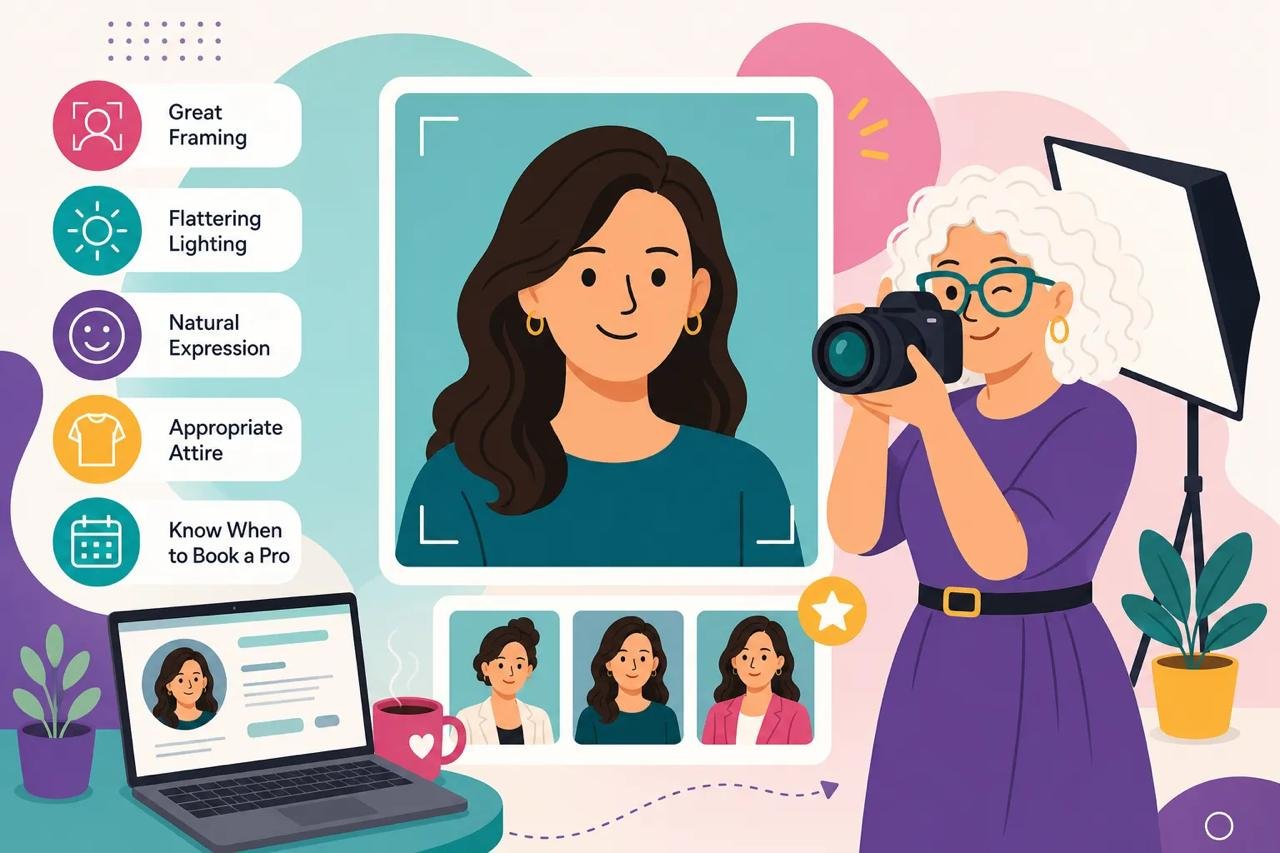
Table of Contents
- What every strong LinkedIn profile photo gets right
- Why LinkedIn crops your photo into a circle (and what that means for your shot)
- The five qualities that appear in every high-performing headshot
- Framing and composition for the best LinkedIn headshot
- Eye level and camera angle: the detail most people overlook
- What good lighting looks like: the Peter Hurley approach
- Expression and attire: the silent signals your photo sends
- Expression, eye contact, and head position: what the research shows
- What to wear for your industry and personal brand
- DIY smartphone headshot setup: what works and where it runs out of runway
- The three-step home setup that produces the cleanest results
- What DIY consistently misses
- When a professionally directed session is worth it
- What a fully directed session delivers that self-directed shooting can't
- Why Aviva Sherman Photography is built for professionals who want this right the first time
- Your LinkedIn photo is doing work right now: make sure it's working for you
Your LinkedIn profile photo is doing one of two things right now: it's opening doors, or it's quietly closing them. Before a recruiter reads your headline, before a potential client scans your experience, before anyone decides whether to send a connection request, they've already formed a first impression, and the best LinkedIn headshot makes that impression count. That split-second judgment happens based on a single image displayed quite small in most feed and search views. That's the uncomfortable reality most professionals ignore until they wonder why their profile isn't converting the way it should.
A forgettable profile photo isn't just neutral. Research on visual perception suggests low-effort photos can meaningfully reduce how professional and trustworthy a viewer perceives you, and in a feed full of polished, credible faces, that's enough to move someone past your profile without a second thought. What separates a high-performing LinkedIn portrait from a snapshot taken in a hotel bathroom comes down to five specific, learnable elements. Experienced portrait photographers routinely apply these elements as a matter of craft. By the end of this article, so will you.
What every strong LinkedIn profile photo gets right
The best LinkedIn headshot shares five consistent qualities: strong framing, controlled lighting, a clean background, a natural expression, and intentional attire. These aren't aesthetic preferences. They're the signals that tell a viewer, in under two seconds, whether to trust what they see. Each element either adds to that impression or subtracts from it.
The technical baseline matters just as much as the artistic one. LinkedIn displays profile photos in a circle at small sizes, which means your image has to work before any branding polish comes into play. For 2026, LinkedIn's recommended specs are a minimum of 400x400px at a 1:1 square aspect ratio, with a maximum file size of 8MB. Uploading at 800x800px produces noticeably sharper results on high-density screens, so that's the practical target. The platform accepts very large files, up to 7680x4320px, but 800x800px is the sweet spot for clean, professional output.
Why LinkedIn crops your photo into a circle (and what that means for your shot)
The circular crop cuts the corners of your square upload, which sounds minor until you realize how often professionals and DIY shooters alike position subjects too far to one side or too low in the frame. When those corners disappear, so does your face. A well-framed photo inside the circle has the face centered, eyes positioned in the upper portion of the frame, and enough space above the head that the circular crop doesn't clip the hair. A poorly framed one loses the top of the head, cuts off the chin, or positions the subject so far to one side that only half a face reads clearly at small display sizes.
The five qualities that appear in every high-performing headshot
Framing puts the face where it needs to be and fills the frame with what matters. Lighting sculpts the face cleanly and sets the mood without drama. Background removes distraction so the viewer's eye stays on you. Expression creates trust in the first fraction of a second, and this one is worth slowing down on, because most people overestimate how natural they look on camera without direction. Attire communicates industry, authority, and personality before a word is read. Each of these elements will get its own treatment below, because each one has specific mechanics that are easy to get wrong and just as easy to get right once you know what to look for.
Framing and composition for the best LinkedIn headshot
The strongest framing for a professional LinkedIn portrait is head-and-shoulders. That composition brings the face, eye contact, and expression to the front, the three signals viewers process first. Full-body shots push the face too far into the distance to read clearly at LinkedIn's display sizes. An extreme close-up feels aggressive and creates discomfort in the viewer. A group photo cropped to isolate one person usually leaves a visible arm, a partial shoulder, or a background element that telegraphs the improvisation immediately.
A well-composed photo keeps the face prominent in the frame, eyes sharp, and includes a small amount of breathing room above the head. A casually cropped selfie typically places the face too small, the angle too low, or the composition slightly off-center in a way that reads as afterthought rather than intention. Aim for a head-and-shoulders crop and you'll avoid most of the common framing mistakes that undermine otherwise decent photos.
Eye level and camera angle: the detail most people overlook
Eye-level angle, produces a clean jawline, a long neck, and a more open expression. The most common DIY error is propping a phone on a desk or table where it sits six to ten inches below chin level, then wondering why the result looks so different from what they see in the mirror. Place the camera at eye level or just above it, and the geometry of the shot improves immediately.
What good lighting looks like: the Peter Hurley approach
The lighting standard for modern headshots comes from Peter Hurley, the New York photographer whose signature setup changed how the industry shoots faces. Instead of one light source casting shadows across the face, three continuous LED panels surround the subject in a triangle: a tall vertical panel on each side, facing each other, and a third panel underneath, angled up to fill in beneath the chin. Light wraps in from both sides and below. Shadows under the eyes disappear, skin evens out, and the jawline stays defined because nothing is hitting the face from above.
You can spot Hurley-style lighting in the eyes. Look closely at a headshot lit this way and you'll see a small triangle of catchlights framing the pupil. Those catchlights are what make the eyes look alive at the tiny sizes LinkedIn displays.
This is the setup I shoot with in my studio. It's flattering across every skin tone and face shape, it holds up when LinkedIn compresses your image down to a circle the size of a thumbnail, and it removes the guesswork that comes with natural light. Window light changes by the hour. The triangle doesn't.
The catch is that this setup can't be improvised at home, which is why the DIY section below works from window light instead. Window light is the closest free approximation of soft, frontal, even light, and it will get you a usable result. It won't get you the wraparound quality or the catchlights, and at small display sizes that difference is visible.
Expression and attire: the silent signals your photo sends
Research on headshot perception is consistent on this point: a genuine smile that reaches the eyes produces strong trust ratings in professional photos. The technical term is a Duchenne smile, characterized by slight crinkling at the outer corners of the eyes and a relaxed, open face. A stiff, posed smile, where the mouth moves but the eyes don't engage, reads as performative and untrustworthy, even when viewers can't articulate exactly why. Studies on hireability are more nuanced and depend on role and context, but trust is where genuine expression consistently wins.
An unsmiling or guarded expression can be perceived as less warm and, depending on context, may read as cold or disinterested rather than authoritative. For most LinkedIn contexts, a genuine smile is one of the strongest variables you can control when creating the best LinkedIn headshot for your profile. That warmth, combined with direct eye contact, is what makes a profile photo feel inviting rather than transactional.
Expression, eye contact, and head position: what the research shows
Direct eye contact, a relaxed but engaged expression, and a slight lean toward the camera produce strong trust signals in professional headshot studies. A subtle head tilt adds approachability without reducing perceived competence, a useful balance for professionals who need to project both warmth and authority. Posture cues matter too: upright but not rigid, shoulders relaxed, body turned slightly from the camera with the face returning to the lens. That combination reads as confident and open rather than stiff or guarded.
What to wear for your industry and personal brand
Solid colors in mid-tones and jewel tones photograph most cleanly and keep the focus on your face. Navy, charcoal, deep green, burgundy, and soft blue are reliable across industries. Bold patterns, neon colors, pure white, and large logos all create problems on camera, either competing with the face, blowing out in highlights, or creating visual noise after image compression.
Match your attire to the expectations of your industry:
- Corporate: Navy, charcoal, and tailored pieces that signal structure and authority
- Creative: Richer jewel tones with more personality, such as deep teal, emerald, or plum
- Tech: Polished-casual solids like soft blue or muted gray that read as approachable rather than stiff
Keep accessories minimal, one accent at most. Competing accessories reduce the professional effect and draw attention away from the expression, which is the element doing the most work.
DIY smartphone headshot setup: what works and where it runs out of runway
A well-executed smartphone setup can produce a usable LinkedIn photo, especially if the goal is a quick update with limited professional stakes. The practical setup uses the rear camera at eye level, soft window light at a 45-degree angle, a white reflector card on the shadow side, and a plain wall a few feet behind you. That combination produces the soft side light plus fill plus clean background formula that consistently reads as professional. Take at least 20 to 50 frames so you have actual choices during selection.
The three-step home setup that produces the cleanest results
The free setup uses a large window with indirect daylight as the key light, a white towel or foam board as the fill, and a plain wall for the background. The one-light setup replaces the window with a diffused desk lamp or clamp light using a daylight-temperature bulb, which gives you control over timing and cloud cover. The two-light setup adds a second, weaker lamp as fill on the shadow side and produces the most consistent results across different face shapes and skin tones. For someone without photography experience, the window setup remains the most reliable starting point because the light is inherently soft and large.
What DIY consistently misses
The technical setup can be correct, and the expression can still undermine everything. Without a second set of eyes directing your expression, posture, and head position in real time, most people default to a self-conscious look that the lens captures faithfully. The slight stiffness, the held breath, the performative smile that doesn't reach the eyes, these are all responses to being alone in front of a camera without guidance. A properly lit wall and a rear camera cannot fix that. This is where self-directed headshots hit their ceiling, and it's a real ceiling for anyone whose photo carries meaningful professional stakes.
When a professionally directed session is worth it
A professional headshot session in the U.S. typically runs $200 to $500, with premium markets and personal branding sessions reaching $500 to $1,500. In Chicago specifically, standard professional sessions average around $300 to $600. For any role where your photo has real business impact, that investment pays back quickly. LinkedIn visibility, speaking proposals, executive bios, and personal brand content all depend on a photo that converts profile views into actual engagement.
The key variable isn't just technical skill, it's direction. A photographer who coaches expression, posture, and movement in real time produces a different result than one who sets up good light and presses the shutter. The difference shows up in the eyes.
What a fully directed session delivers that self-directed shooting can't
The best portrait photographers don't just set up light. They coach the client through every frame, adjusting expression cues in real time, offering subtle posture corrections, and creating the conditions for a natural result rather than a posed one. When someone is guided into an expression rather than left to manufacture it alone, the camera captures something that looks like the person at their most confident and approachable. That's not something you can produce by reading instructions in a mirror.
Why Aviva Sherman Photography is built for professionals who want this right the first time
Aviva Sherman Photography in Chicago is designed specifically for professionals who are camera-shy, haven't been photographed professionally in years, or have had experiences with headshots that left them looking stiff, tired, or like someone they don't recognize. Aviva's fully directed session model includes coaching on pose, expression, and movement throughout the entire shoot, not just at the beginning. Clients review their images the same day and leave knowing they got the shot. The studio offers a satisfaction guarantee; check the current session terms at booking for full details.
Her work is built to perform across LinkedIn, company websites, speaking proposals, and personal brand content, the exact contexts where a profile photo either converts or doesn't. For Chicago professionals who want a high-quality result without the guesswork, Aviva Sherman Photography offers a structured, fully guided approach designed to deliver a headshot you'll actually use and be proud to put in front of decision-makers.
Your LinkedIn photo is doing work right now: make sure it's working for you
Strong framing, clean lighting, an uncluttered background, a genuine expression, and intentional attire. Those five elements are what separate the best LinkedIn headshot from a snapshot, and none of them require a studio or an expensive camera to understand. A great LinkedIn profile photo isn't about looking perfect, it's about looking like the most credible, approachable version of yourself in the seconds before someone decides whether to keep reading.
A DIY setup with the right conditions will get you there if your professional stakes are modest. But if this photo is going to represent you across LinkedIn, your website, speaking materials, and everything else that carries your name, a directed session with a photographer who knows how to draw out the right expression is the most reliable path to a result you'll actually use.
Chicago professionals ready to get this right can learn more about working with Aviva Sherman Photography at avivasherman.com. The session is fully guided, image selection happens the same day, and the structured process means there's no reason to keep putting it off.